

BC Poker App: A World of Mobile Play and Tournament Access

- Mobile-first poker experience inside the BC Poker ecosystem
- Registration Through the Mobile App
- Downloading the BC Poker app on iPhone
- Downloading the BC Poker app on Android
- Poker formats that become available after installation
- Tournaments and fast-match formats inside the app
- Payments, withdrawals and freeroll entry through the BC Poker mobile
- FAQ
Mobile-first poker experience inside the BC Poker ecosystem
BCPoker is built with a mobile-first approach, allowing players to access the full poker ecosystem from a smartphone or tablet without losing functionality. Instead of offering a simplified mobile version, the app provides the same core experience as desktop, giving users access to real-money tables, tournament schedules, account settings, and payment features from one interface.
The mobile client runs the same poker lobby as the desktop platform, meaning players see identical stake levels, game formats, and tournament availability regardless of device. Cash games, scheduled MTTs, Spin & Go, satellites, and account management tools remain fully accessible on mobile. This makes it easier to move between quick sessions during the day and longer gameplay at home without changing platforms. Players interested in additional rewards can also take advantage of various BC Poker bonus offers available through the platform.
Navigation is optimized for smaller screens while keeping the platform easy to use. Players can quickly switch between the lobby, cashier, tournament registration, and ongoing tables in just a few taps. Since account progress remains synchronized, balances, tournament entries, and settings stay connected across devices, creating a more flexible poker experience for players who prefer gaming on the move.
Mobile poker as a daily access point
Players who use the app as their main device get the same game availability as desktop users. Cash tables run 24 hours across all stake levels, and the tournament schedule is visible and joinable directly from the mobile lobby. The app also covers the cashier and reward tracking, so players can deposit, monitor rakeback progress, and claim bonuses without switching to a desktop session.
Quick access points inside the mobile experience:
- Poker lobby with cash game filters by format and stake;
- Tournament lobby with registration and re-entry options;
- Promotions section with active offers and mission tracking;
- Cashier for deposits and withdrawals without leaving the app.
Registration Through the Mobile App
Creating an account through the BC Poker mobile app takes only a few minutes and follows the same process as desktop registration. New users can sign up directly from their smartphone or tablet, giving immediate access to the poker lobby, tournament schedule, cashier, and account settings after login.
To register through the app, players need to download the official BC Poker client, open the registration form, and enter basic account details such as email address, username, password, and country information. After submission, users may be asked to confirm their email or complete additional verification depending on regional requirements and account activity. Once registration is complete, players can access the platform’s features, including promotions and prize mechanics associated with BC Poker lotto.
Once registration is complete, players can immediately explore available formats, including cash games, Spin & Go, satellites, and MTTs, while also accessing deposit options and account tools from the same interface. Completing verification early may help avoid delays with withdrawals or payment-related checks later.
Downloading the BC Poker app on iPhone
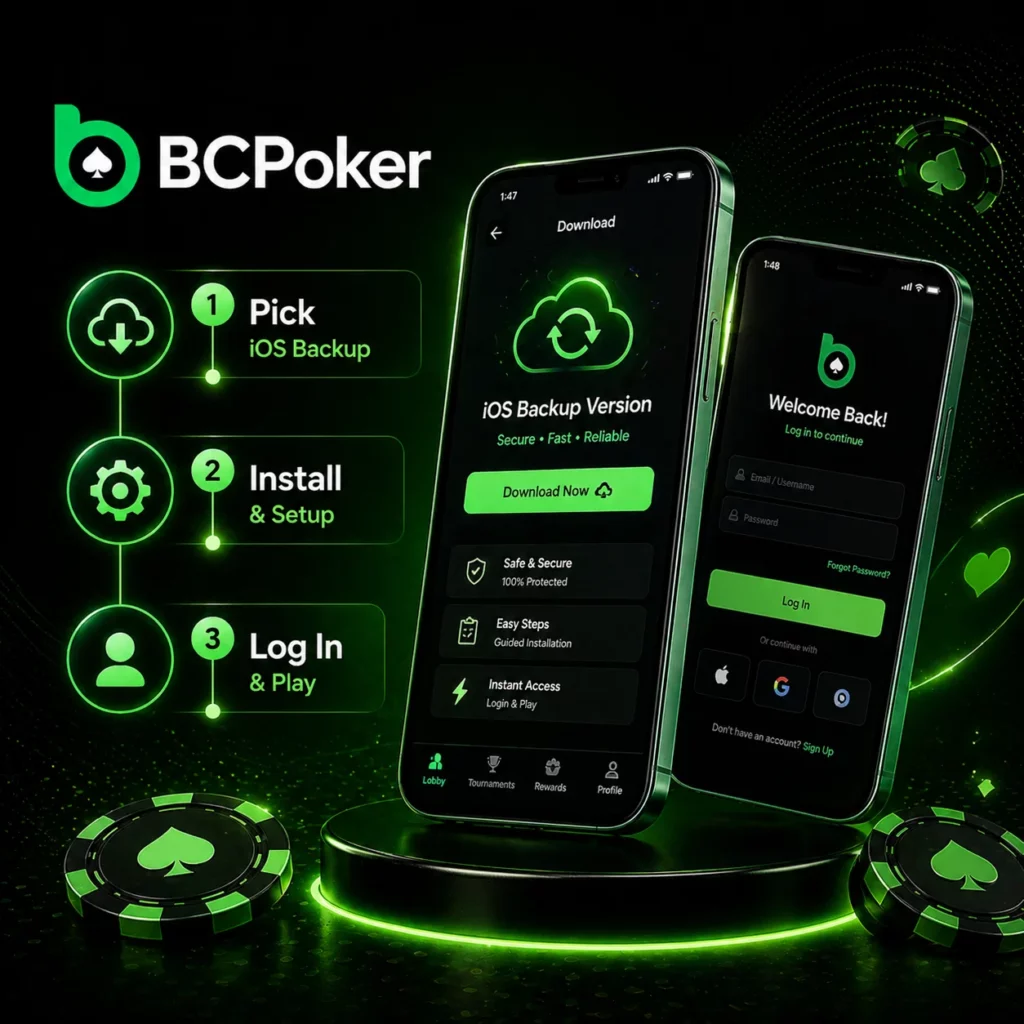
Two installation paths are available for iPhone and iPad users. The standard route goes through the App Store; the alternative uses the iOS Backup Version for players who cannot access the standard listing.
Standard install via App Store:
- Open the BC Poker Download page;
- Select the App Store option and tap the Exclusive Link;
- Install the app from the App Store listing;
- Open the app and log in with registered account credentials.
Alternative install via iOS Backup Version:
- On the Download page, pick the iOS Backup Version;
- Complete the steps shown for the backup installation method;
- Finalize the profile setup and log in.
Players can also scan the QR code on the Download page with an iPhone camera to access the iOS installation flow instantly.
Downloading the BC Poker app on Android
Android users can choose between installing via Google Play or using the BC Poker apk file if the Play Store option is not available or a direct download is preferred.
Standard install via Google Play:
- Go to the BC Poker Download page;
- Select the Google Play option and tap the Exclusive Link;
- Install the application from the Play Store page;
- Launch the app and sign in with your account credentials.
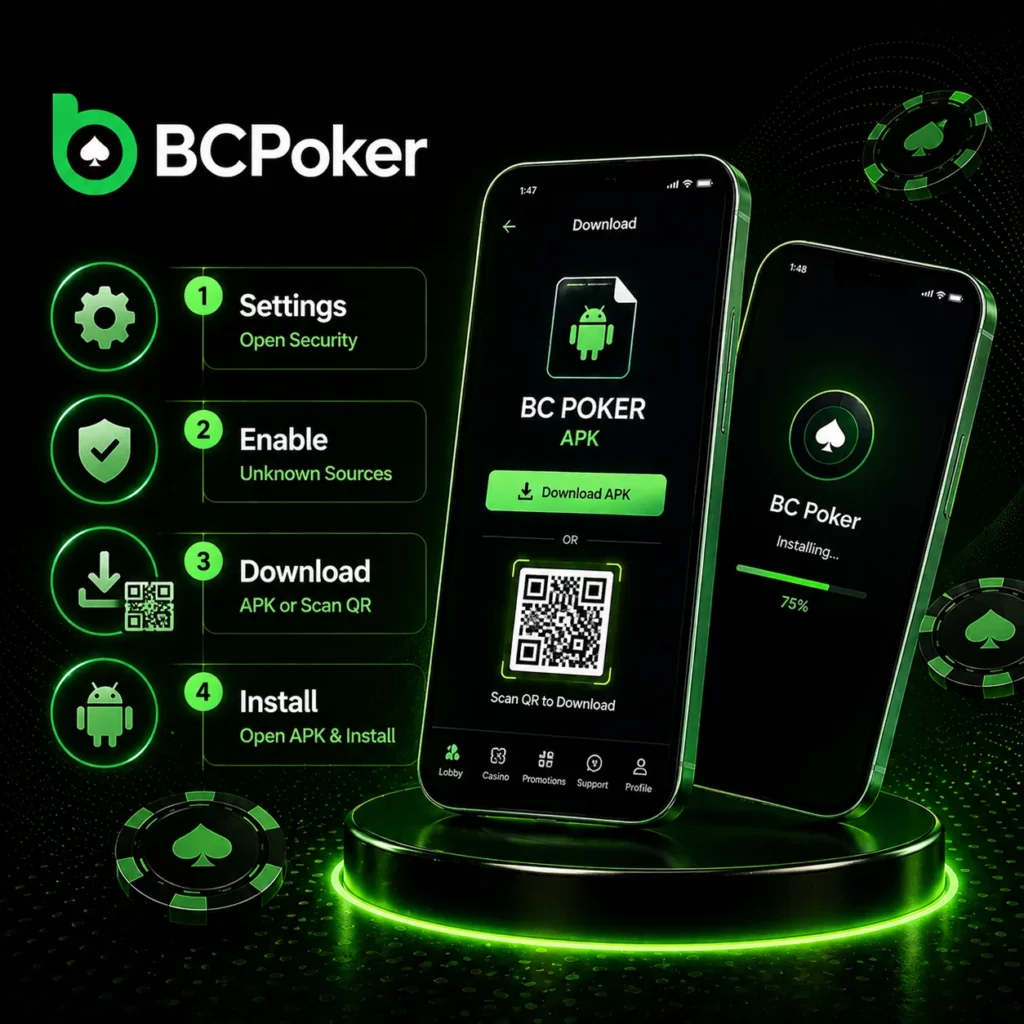
Alternative install via Android APK:
- Open device Settings and navigate to Security;
- Enable Unknown Sources to allow installs outside the Play Store;
- On the Download page, tap the APK download button or scan the QR code;
- Open the downloaded BC Poker apk file and complete the installation.
After completing APK installation, the Unknown Sources setting can be disabled again without affecting the app.
Poker Formats Available in the BC Poker App
After installation, the BC Poker app gives players access to several poker formats designed for different skill levels, bankrolls, and playing styles. Each variant offers a different pace, decision-making structure, and level of complexity, allowing players to switch formats depending on personal preference.
The platform includes three main poker variants:
- Texas Hold’em – the most widely played poker format, where players receive two hole cards and combine them with five community cards to build the strongest five-card hand. Available across multiple stake levels, from micro limits to higher tables, in a No Limit structure;
- 6+ Short Deck – a faster-paced version of poker played with a 36-card deck, where cards from 2 to 5 are removed. The reduced deck changes hand values and creates more action-heavy gameplay, with flushes ranking above full houses and closer pre-flop equities;
- Pot Limit Omaha (PLO) – a four-card format where players must use exactly two hole cards and three community cards. Pot-limit betting often creates larger pots and more complex post-flop decisions compared to standard Hold’em.
All formats are accessible through the cash game lobby, while players looking for lower-risk entry points can join daily freerolls directly through the app. These events provide free access to real-money prize pools across different poker variants. To support healthier play habits, BC Poker also includes Responsible Gaming tools, allowing users to manage session time, limits, and overall activity more effectively.
Tournaments and Fast-Match Formats Inside the App
The BC Poker app provides access to the full tournament lobby alongside cash games, allowing players to browse upcoming events, check buy-ins, and register directly from mobile. Tournament schedules, entry fees, guarantees, and registration windows are available in one interface, making it easy to switch between formats without leaving the app.
Players can choose between several tournament and fast-play options depending on bankroll size and preferred session length:
- MTT (Multi-Table Tournaments) – players register through the lobby before the scheduled start time. Each event includes its own structure, buy-in, prize pool, and re-entry conditions, which are displayed in the tournament details before registration;
- Target Stack Satellites – lower buy-in events that award entry into larger tournaments. Instead of competing for a standard payout, players aim to reach a predefined chip target to secure qualification;
- Spin & Go – a fast three-player format where the prize pool multiplier is revealed before the game begins. Buy-ins range from $0.25 to $100, while maximum rewards can reach up to $1,000,000 from selected entries;
- All-in or Fold Sit & Go – one of the fastest formats on the platform, featuring 16-player shootouts with pre-flop decisions only. Since post-flop action is removed, gameplay moves significantly faster than traditional sit-and-go tournaments.
The app keeps tournament access simple by storing everything inside one mobile interface, allowing players to move between cash games, satellites, Spin & Go, and scheduled tournaments without changing platforms or reopening tables. is processed in accordance with the platform’s Privacy Policy to ensure secure handling and protection of personal information.
Payments, withdrawals and freeroll entry through the BC Poker mobile
After installation, the app functions as a full account access point. Players do not need to return to a desktop client to manage funds or enter freerolls.
Account actions available through the mobile app:
- Deposit from a wallet – connect a crypto wallet (USDT, USDC, BTC, ETH, BC) and confirm the transfer on the relevant blockchain network;
- Deposit using a bank card – enter card details through the in-app cashier; fiat deposits follow the same flow as the desktop version;
- Withdraw funds – select the withdrawal method and amount; crypto withdrawals process within minutes, fiat withdrawals within a few hours to 48 hours depending on the gateway;
- Free-roll entry – daily freerolls are accessible directly from the tournament lobby inside the app, with no deposit required for entry.
Minimum deposit is $5; minimum withdrawal is $13. Platform fees: gas only for crypto withdrawals, 2% for fiat withdrawals.
FAQ
How do I download the BC Poker app?
Go to the Download page on the BC Poker site. Select your platform: App Store or iOS Backup Version for iPhone/iPad, Google Play or Android APK for Android. Follow the corresponding installation steps.
What is the difference between the iOS and Android installation?
iOS users install through the App Store or the iOS Backup Version. Android users install through Google Play or via APK, which requires enabling Unknown Sources in device security settings before installing the downloaded file.
What poker games can I play after installing the app?
Texas Hold’em, 6+ Short Deck, and Pot Limit Omaha are available in the cash game lobby, plus daily freerolls with no entry fee.
What tournament formats are available through the app?
MTTs with re-entry options, Target Stack Satellites, Spin & Go (buy-ins $0.25–$100, max payout $1,000,000), and All-in or Fold Sit & Go. All events are registered through the in-app tournament lobby.
Can I deposit and withdraw through the BC Poker app?
Yes. The full cashier is available through the app. Deposit via crypto wallet or bank card. Withdraw to crypto (processed in minutes) or fiat (up to 48 hours). Minimum withdrawal is $13.